
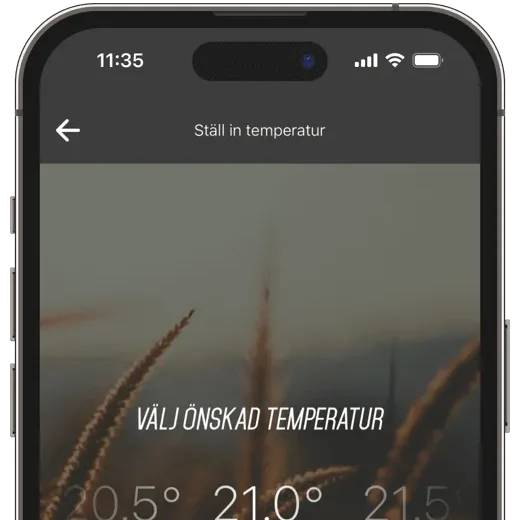
NGENIC Track (male)

For those with a modern electricity meter featuring a free HAN/P1 port. Ngenic Track HAN provides Ngenic Tune with detailed, real-time energy data for smarter optimization, greater control, and a complete overview of your electricity consumption.

What is Track?

Ngenic Track HAN is an accessory for Ngenic Tune that connects directly to the electricity meter’s HAN/P1 port. By retrieving energy data directly from the meter, Ngenic Tune gains an even better basis for optimizing heating based on electricity prices and power draw. At the same time, you get access to real-time power, consumption, and historical data right in the app.
 
Price: 795 SEK
 
For households with district heating or electricity meters without a HAN/P1 port, the Ngenic Track Opto is available instead .

More data. Less hassle.

With Ngenic Track HAN, both you and Ngenic Tune gain access to high-resolution, real-time energy data. You can monitor energy usage directly in the app and gain a better understanding of how your home uses electricity over time, while the system is better equipped to optimize energy usage.
 
Furthermore, the direct connection to the electricity meter means that the device operates without batteries and is always ready to provide up-to-date data.

Data in Large Quantities

Real-time data, historical data, and insights to help you get more out of your Ngenic Tune.

See the effect in real time

In Hemvyn, you can see your electricity or heating usage in real time. Forgot whether you turned off the stove? Check right away in the app!
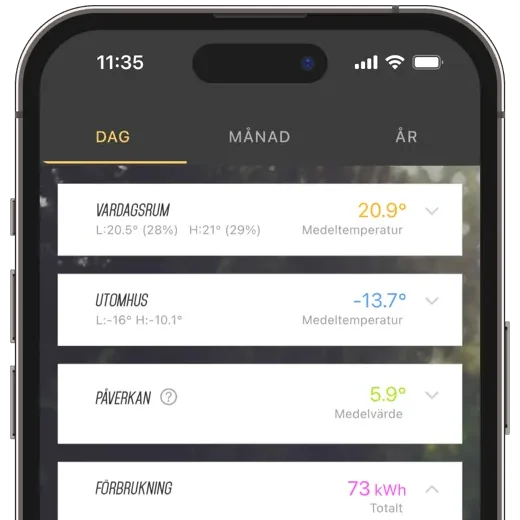
Complete History

In the History view, you can easily compare time periods and usage patterns. Filter your data by day, month, or year.
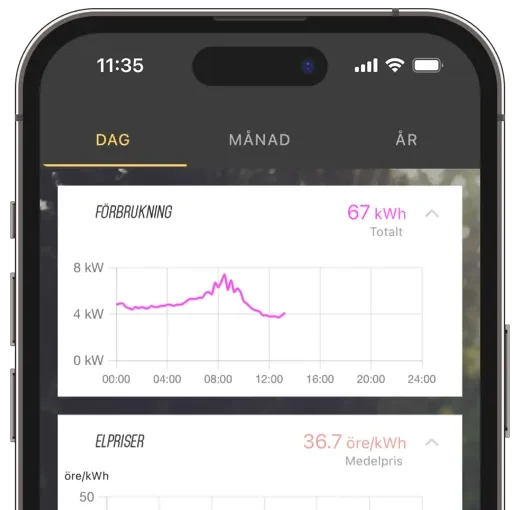
View electricity rates

Would you like to keep track of electricity prices? Enable “Show Electricity Prices” to view prices for the entire day in your price zone directly in the History view.
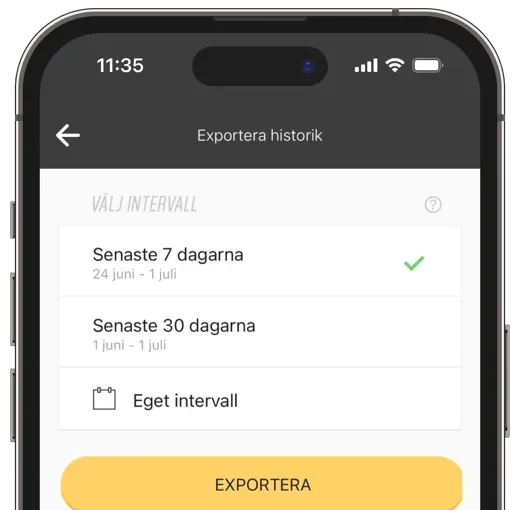
export measurement data

Would you like to take a closer look at your data? Easily export your data in CSV format by entering your desired time range.

Compatibility

The Ngenic Track HAN works in conjunction with Ngenic Tune and is designed for modern electricity meters with a HAN or P1 port. The device supports the HAN and P1 standards, making it compatible with many of the electricity meters installed today.

Frequently Asked Questions About Track Opto

Both are accessories for Ngenic Tune and provide access to real-time energy data. Track HAN connects via a cable to the HAN/P1 port on modern electricity meters, while Track Opto reads measurement data optically from the meter. Do you have an available
HAN/P1 port: Track HAN is the best choice. If the port is already in use or if you want to monitor district heating consumption, Track Opto is a better option.
Track HAN provides detailed, real-time energy data that can be used for monitoring, visualization, and optimization. Since the device is directly connected to the electricity meter, you get high-resolution measurement data without having to replace batteries.

The range depends on a number of factors, such as the type of material in the walls and other wireless networks in the vicinity. If the electricity meter is located in a metal cabinet, the distance to the gateway should not exceed 15 meters. Without a metal cabinet, the range can be up to 30 meters, and with a completely unobstructed line of sight, over 300 meters.

In Sweden, two different standards are used for the new electricity meters: RJ45 (Norwegian standard, known as HAN) and RJ12 (Dutch standard, known as P1 or HAN/P1). The good news is that Track HAN is compatible with both types.
 
If you're unsure, you can always look inside the connector on the meter and count the number of pins.
  • It has 8 pins.
  • P1 has 6 pins.

This website uses cookies

We use cookies and similar technologies to improve your experience, analyze our traffic, and deliver personalized content. Some cookies are necessary for the website to function, while others are optional. By clicking "Accept All," you consent to our use of all cookies. You can also choose to customize your preferences or opt out of optional cookies using the buttons below. Learn more in our Privacy Policy and Cookie Policy. Privacy Policy Cookie Policy